 ReaCut
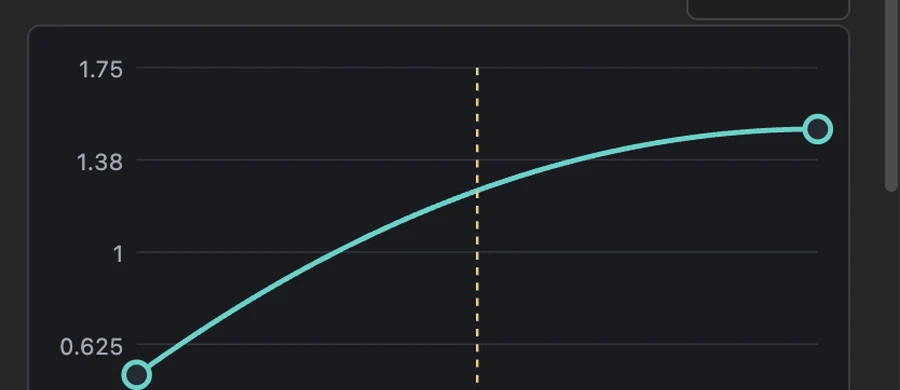
Keyframes and speed
Animate position, scale, and opacity. Shape a speed ramp, reverse a clip, or hold a frame.
Open source · macOS & Windows
Ask AI for a rough cut, then fine-tune each clip on a familiar timeline and export locally.
Apple Silicon v0.9.0 Windows 10/11 x64 v0.9.1 Try AI captions
Use in ChatGPTFor Apple Silicon Macs. Paste the prompt into a local Codex chat in the ChatGPT desktop app. Setup guide
Install ReaCut and its desktop plugin on this Mac. Use the official setup guide at https://github.com/Xiangyu-CAS/ReaCut/blob/main/docs/CODEX_PLUGIN.md and open the editor in the right sidebar of this local Codex chat when ready.
On Apple Silicon Macs, ReaCut recognizes speech locally. Codex translates the text into editable subtitles with the original timing.
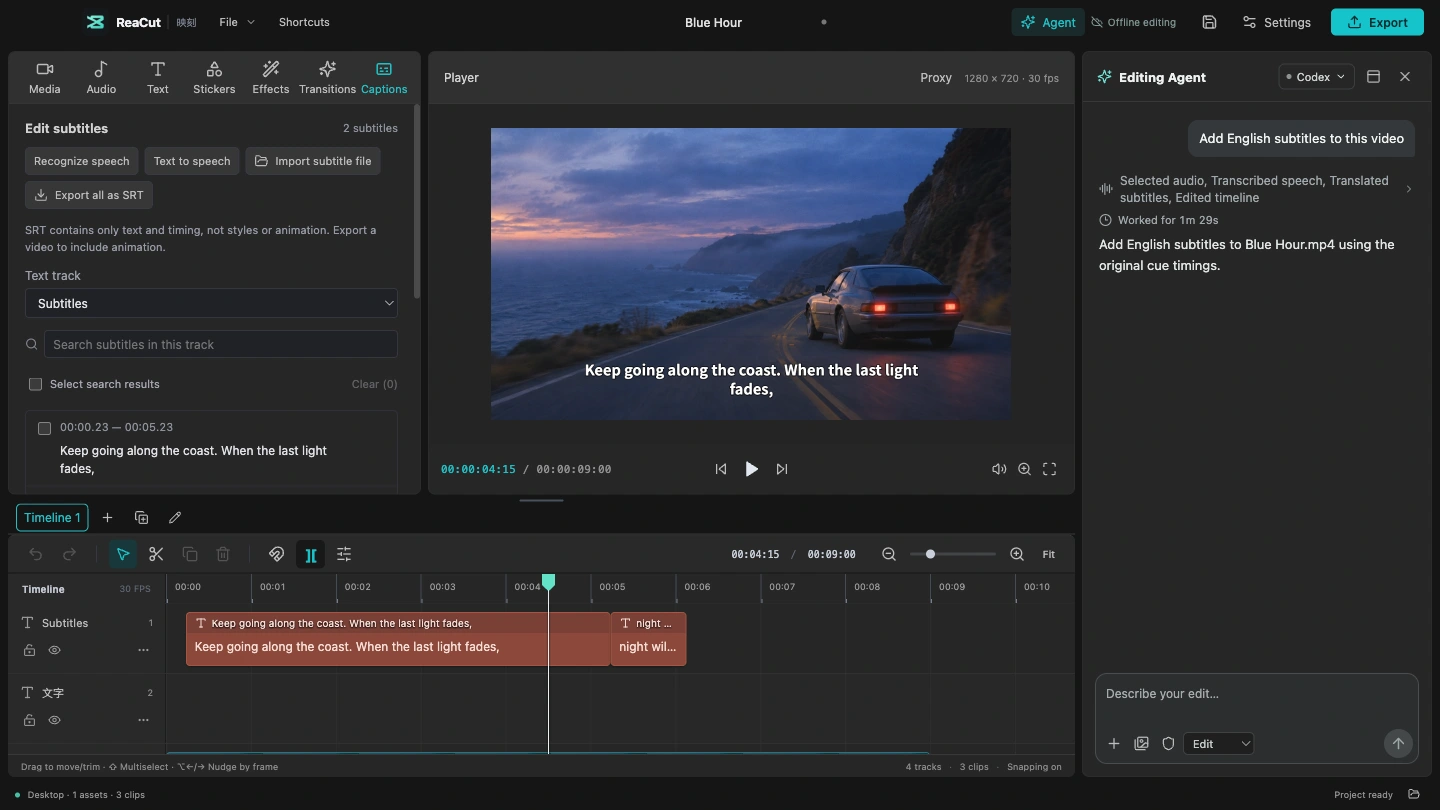
Add English subtitles to this video
Explore the editor with Blue Hour. Watch the cut · Download the project
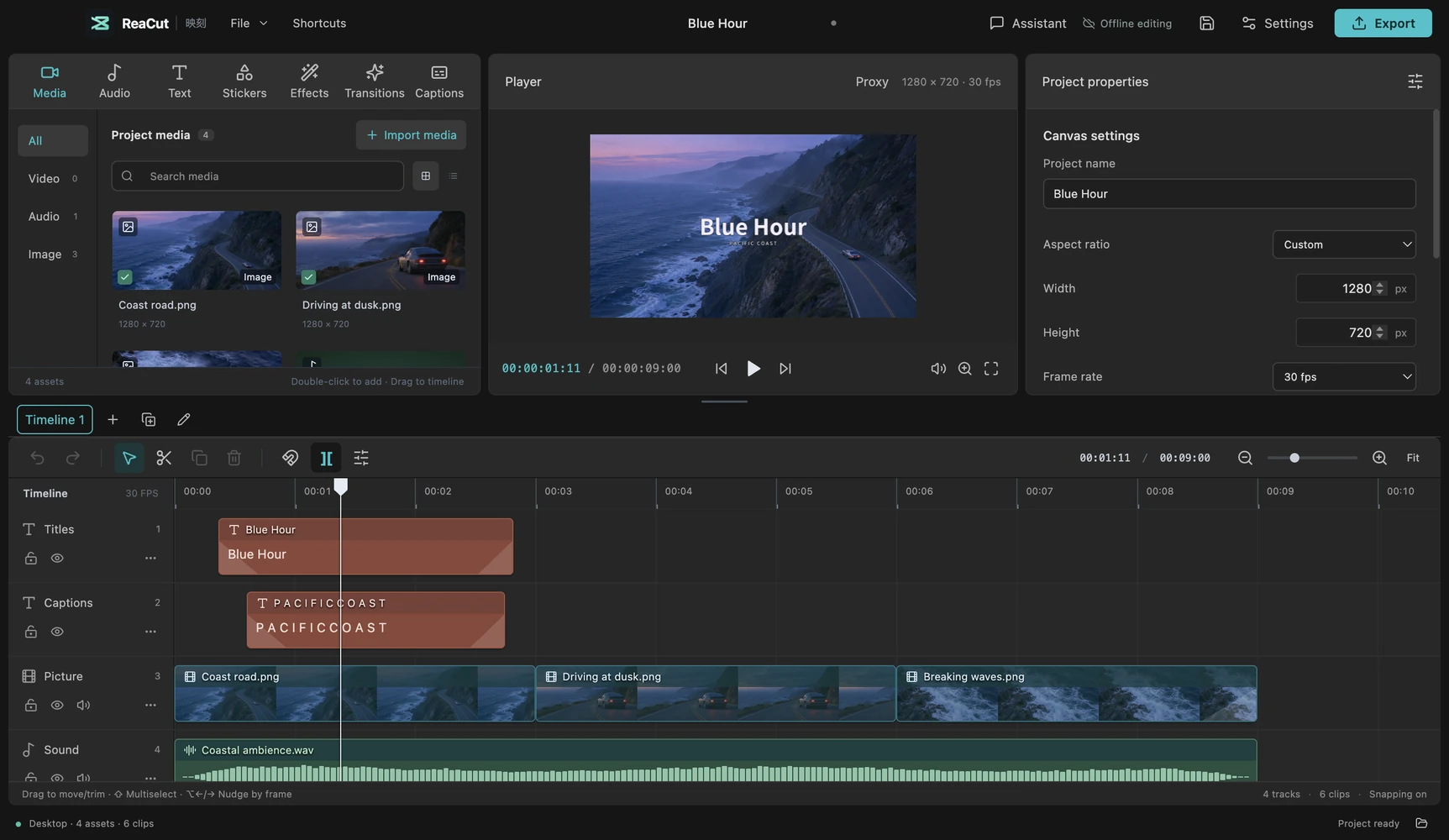
Mark source ranges, trim and split clips, and keep several timelines in the same project.
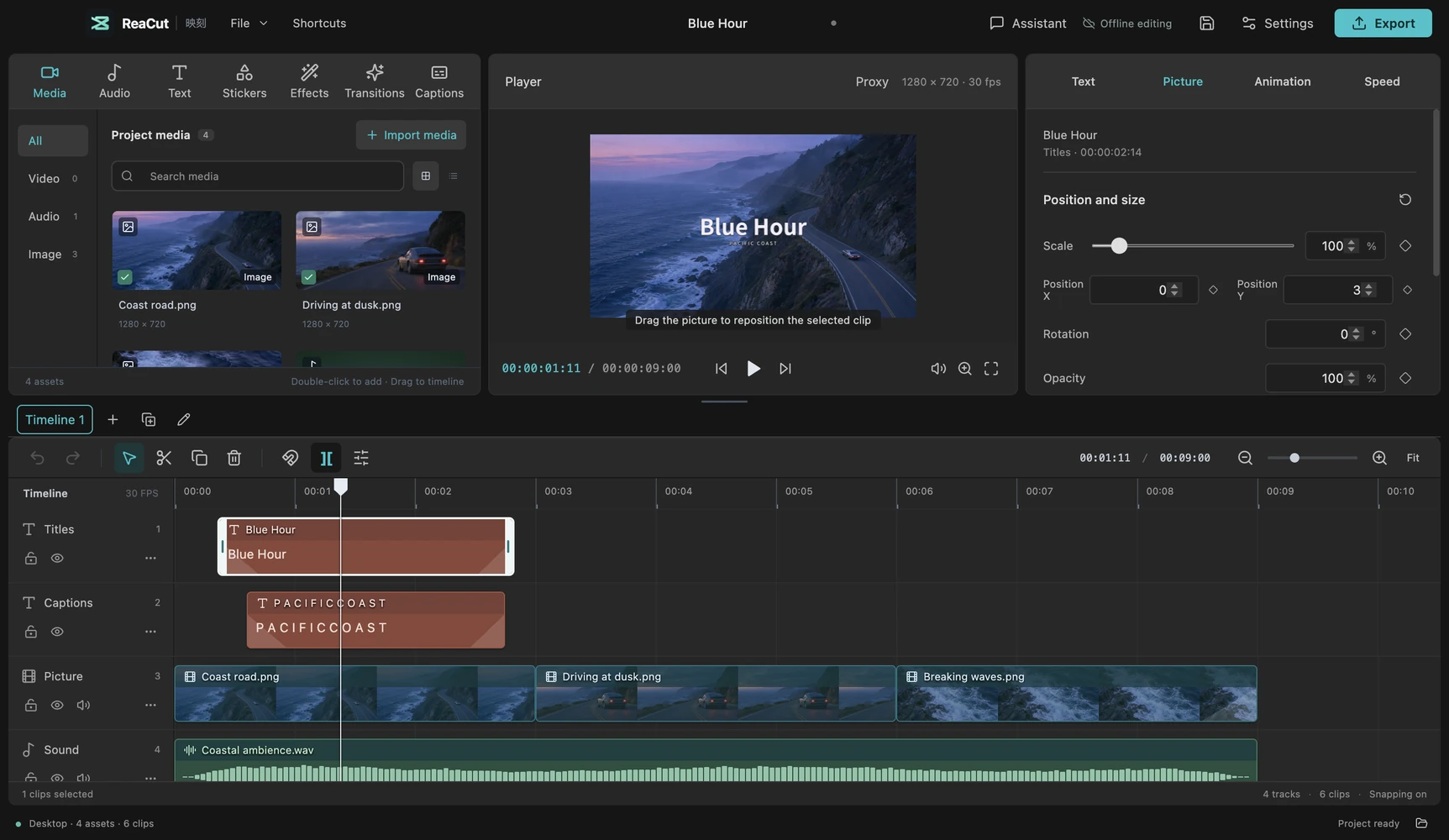
Import SRT, batch-edit captions, or set up local transcription with MLX Whisper.
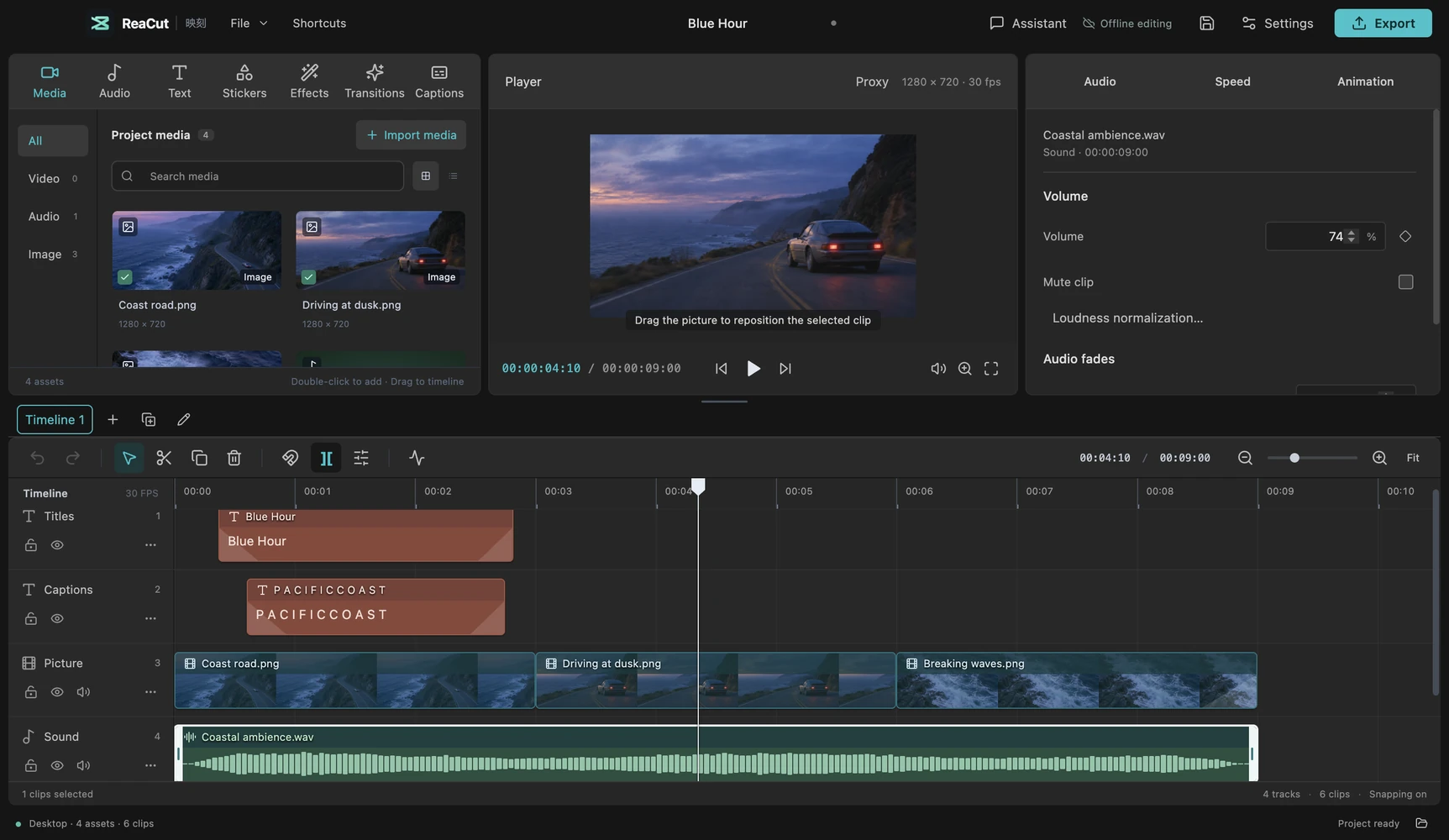
Normalize clip loudness, duck music under speech, and use detected beats as edit points.
Animate position, scale, and opacity. Shape a speed ramp, reverse a clip, or hold a frame.
Save an edit with named places for media and text. Swap in new material and save each cut as its own project.
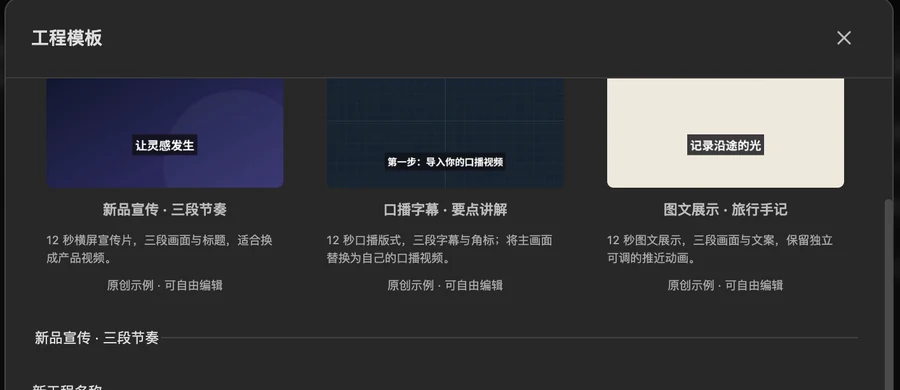
Use lightweight proxies for high-resolution footage. Export a timeline or a selected range to MP4 or MOV.
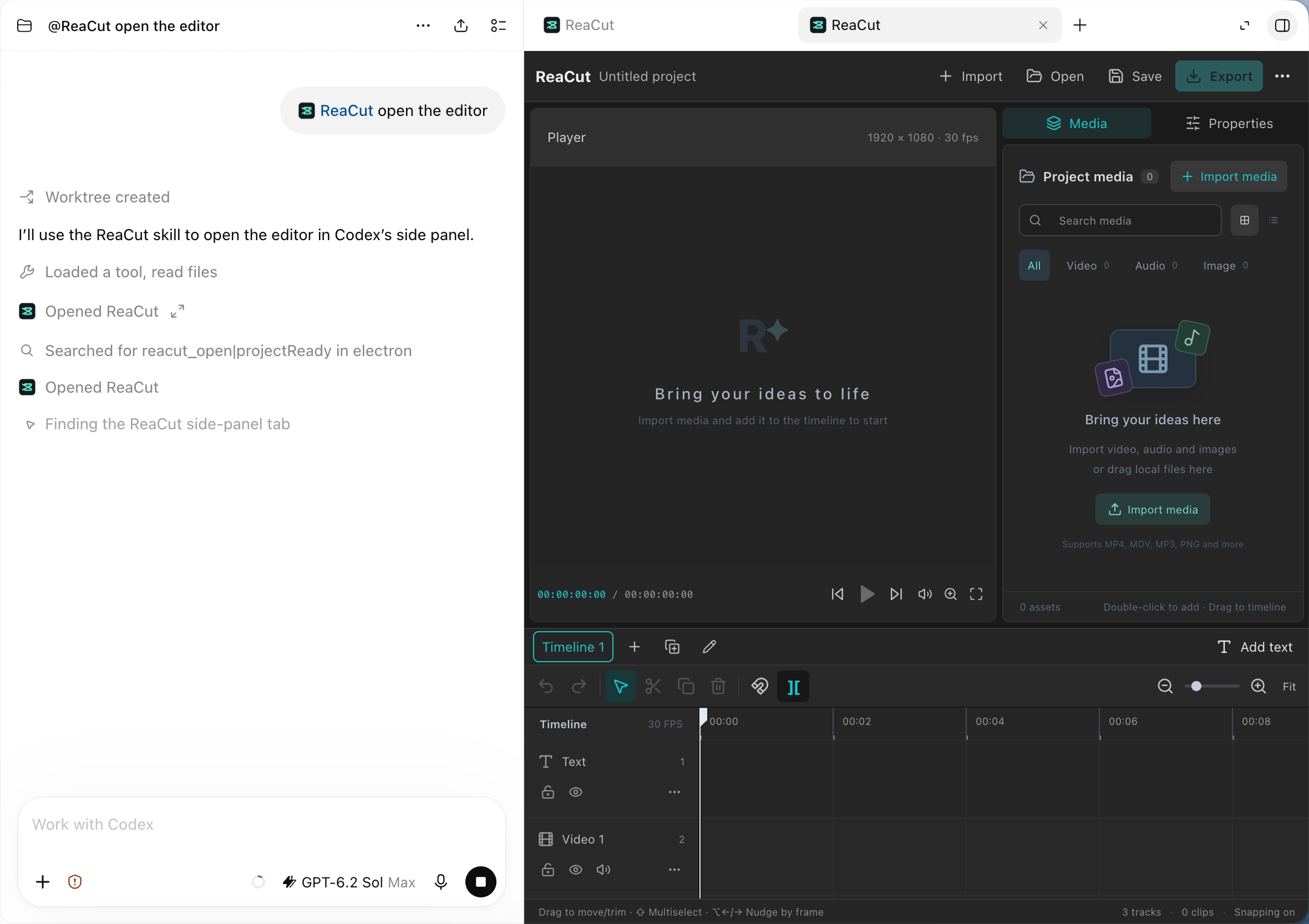
ChatGPT desktop plugin · Apple Silicon
Open ReaCut next to your conversation in the ChatGPT desktop app. Cut clips, add text, or ask Codex to edit the same timeline.

Choose the preview for your computer.
macOS Apple Silicon v0.9.0 · Windows 10/11 x64 v0.9.1 (unsigned installer).
Open the DMG and drag ReaCut into Applications. This preview is ad-hoc signed and lacks Apple notarization. If macOS asks you to verify the developer, check the download’s SHA-256 before following Apple’s instructions. Installation guide
Download the EXE for Windows 10/11 x64 and verify its SHA-256 before running the unsigned installer. This preview does not include local MLX transcription, macOS voices, or the Codex plugin. Windows release notes
Yes. Import, editing, project storage, and export run locally without an account. Automatic transcription needs an initial setup with MLX Whisper and a local model. Local speech setup
ReaCut can import basic edits from supported local Jianying drafts. Import coverage is experimental, and some text styles, effects, and keyframes may be lost. Supported formats